10 Minutes Presentation How Many Slides: Scientific Guide
10 Minutes Presentation How Many Slides. Discover the ideal slide count for a 10-minute scientific presentation. Learn pacing, slide types, and how
For a 10-minute presentation, there is no single ideal slide count; a practical range for scientific talks is often 7 to 10 slides, but the optimal number depends on the content's complexity, evidence density, and the audience's need for sustained explanation on key points, rather than a strict one-slide-per-minute rule.
What is the "slide count trap" for scientific presenters?
A 10-minute presentation does not automatically need 10 slides. That shortcut helps general business talks, where a title, a few simple visuals, and a clear close can move quickly. Scientific presentations operate under different constraints, especially in Medical Affairs, where evidence density, accurate interpretation, and MLR requirements shape the pace.
Historical guidance often places a 10-minute presentation at about 10 slides. Microsoft's presentation guidance gives approximately 7 to 10 slides for that duration, while other guidance describes 10 to 15 slides for a more modular, visual format. These ranges reflect different assumptions about content complexity, visual design, and audience processing.

A business trend may communicate its point almost immediately. A clinical endpoint slide can require the audience to interpret the study design, patient population, comparator, confidence intervals, and limitations while listening to the speaker. A mechanism of action slide creates a similar burden when several biological steps must remain visible and connected.
Why evidence density changes the timing
Scientific presenters manage a cognitive problem that short commercial narratives often avoid. The slide must support an accurate interpretation without becoming a miniature paper, while the speaker supplies context that cannot be reduced to a headline. MLR review adds another constraint: required qualifiers, source details, and approved wording must remain visible without burying the intended message.
Forcing that material into equally paced slides produces predictable failures:
- Rushed interpretation: The presenter advances before the audience understands the endpoint, comparison, or limitation.
- Visual overload: Caveats, labels, and references crowd the slide until the primary finding is difficult to identify.
- Compliance-driven clutter: Required information takes up so much space that the audience cannot quickly see the supported takeaway.
A dense evidence slide may consume the time and attention of several light transition slides. Count meaningful explanations, not pages. If a subgroup analysis, clinical table, or pathway needs sustained interpretation, give it the time it requires and reduce lower-value transitions elsewhere.
For Medical Affairs, a focused deck with fewer, defensible slides often performs better than a nominally complete deck. The audience should leave able to explain the evidence, its boundaries, and the conclusion the data supports.
How do you structure a 10-minute scientific deck?
A scientific deck needs an argument before it needs a slide count. Start by writing the one conclusion the audience should retain, then identify the evidence needed to support it. Remove material that doesn't advance that conclusion, even if the content is accurate, approved, or interesting.
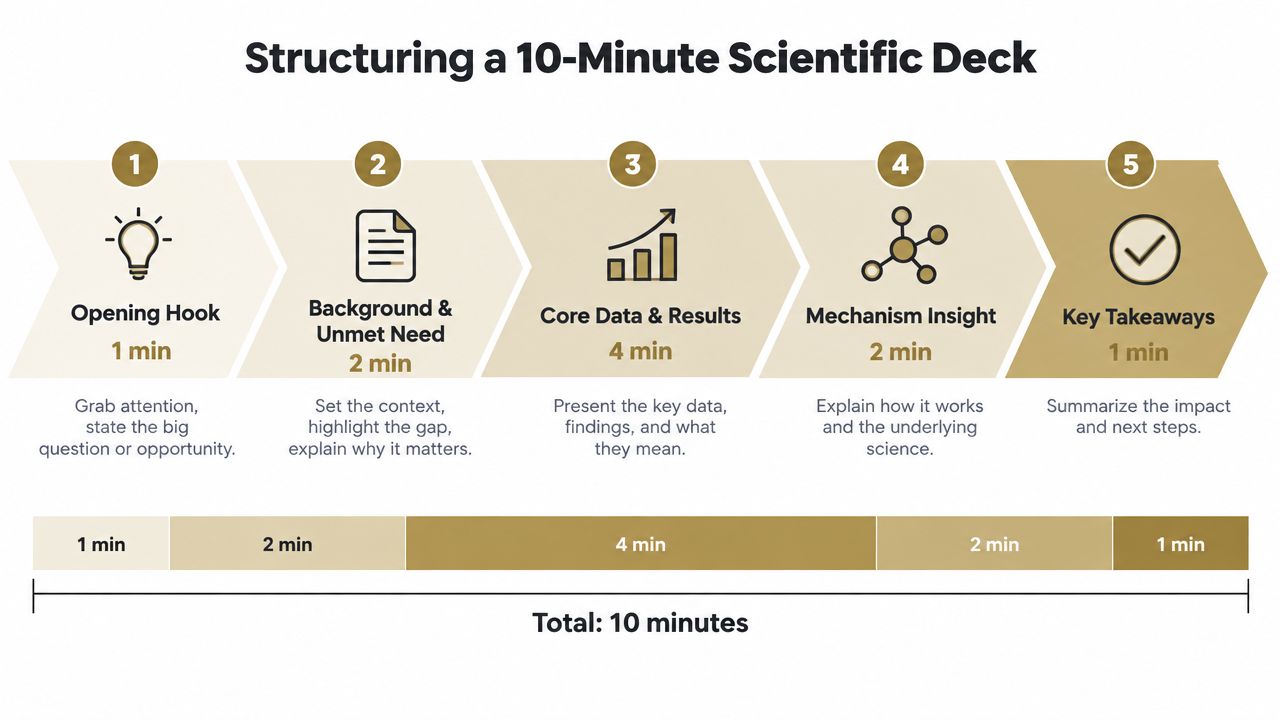
A useful architecture follows the narrative rather than dividing time evenly across pages:
- Opening hook: Establish the clinical or scientific question and why it matters to the audience.
- Background and unmet need: Give only the context required to understand the evidence.
- Core data: Present the primary finding with enough explanation for the audience to interpret it correctly.
- Mechanism insight: Connect the finding to the relevant biological or pharmacological rationale.
- Takeaways: State the supported conclusions and any important boundaries around interpretation.
Build around an anchor slide
The core data slide should function as the deck's anchor. It might show the primary result, a mechanism, or a carefully selected comparison, but it should carry one defensible message. If the audience needs to inspect several visual elements, don't treat the slide as a quick stop between lighter pages.
Guidance for 10-minute presentations commonly budgets approximately 45 to 75 seconds per slide, with complex charts sometimes requiring 60 to 90 seconds. The Winning Presentations pacing guidance is useful here because it distinguishes between simple visuals and slides that demand explanation. A presenter who spends too long on a chart must compensate elsewhere by simplifying the introduction, removing a secondary example, or combining background content.
A practical scientific deck might include:
- A title slide that also establishes the question.
- A concise background slide.
- One slide defining the evidence or study context.
- One or more core data slides.
- A mechanism or interpretation slide.
- A limitations or applicability slide when needed.
- A summary with the precise takeaway.
The exact total matters less than the workload assigned to each page. A title slide should not receive the same rehearsal time as a data figure. If a slide contains multiple endpoints, subgroup findings, or extensive annotations, consider whether the audience needs all of them live or whether some belong in backup material.
Protect the close
The final slide shouldn't introduce a new claim. It should resolve the narrative, distinguish evidence from interpretation, and leave the audience with language that remains accurate outside the room. In an MLR-sensitive environment, that precision matters as much as visual polish.
How can integrating MOA videos reduce slide load?
Static diagrams are useful for showing a defined state. They're less effective when the audience must follow a sequence of molecular events, cellular interactions, or changes over time. A short mechanism of action video can carry that sequence while the presenter concentrates on the scientific implication.
The comparison is straightforward:
| Static slide approach | Video-supported approach |
|---|---|
| Several diagrams may be needed to show progression | One controlled animation can show the sequence |
| The presenter explains movement verbally | Motion can make the order of events visible |
| Dense labels compete with the speaker | The live deck can focus on the interpretation |
| Revisions may affect several linked slides | A governed asset can be updated as one component |
Video doesn't automatically improve a presentation. An animation with unclear labels, unsupported claims, or excessive movement adds friction rather than removing it. The visual should be built from approved source material, use terminology consistently, and have a clear stopping point where the speaker connects the mechanism to the evidence.
A good insertion point is immediately before the relevant data or immediately after the scientific context. The presenter introduces what the audience should watch, plays the asset, then states the single implication. Avoid narrating every visual action while the audience is also trying to follow the animation.
For teams developing this kind of asset, scientific video production guidance can help frame the relationship between source evidence, animation, narration, and review. The important production decision is whether the video replaces explanation or merely decorates the deck. If the presenter repeats the entire animation in static slides, the slide count may fall while the cognitive burden stays the same.

In practice, video works best when it has a defined role. Use it to establish the mechanism, reveal a process, or explain a relationship that would otherwise require several repetitive diagrams. Keep the live slides for the question, the evidence, and the conclusion. That creates a leaner deck without stripping away scientific substance.
How do you pace a 10-minute scientific presentation for impact and retention?
A ten-minute scientific presentation succeeds through attention allocation, not a fixed slide count. A general business talk may move quickly through context and transitions, while an HCP-facing deck often needs more time for study design, endpoints, or a qualified interpretation. Treating every page alike creates either dead air or rushed evidence.
Classify slides during rehearsal:
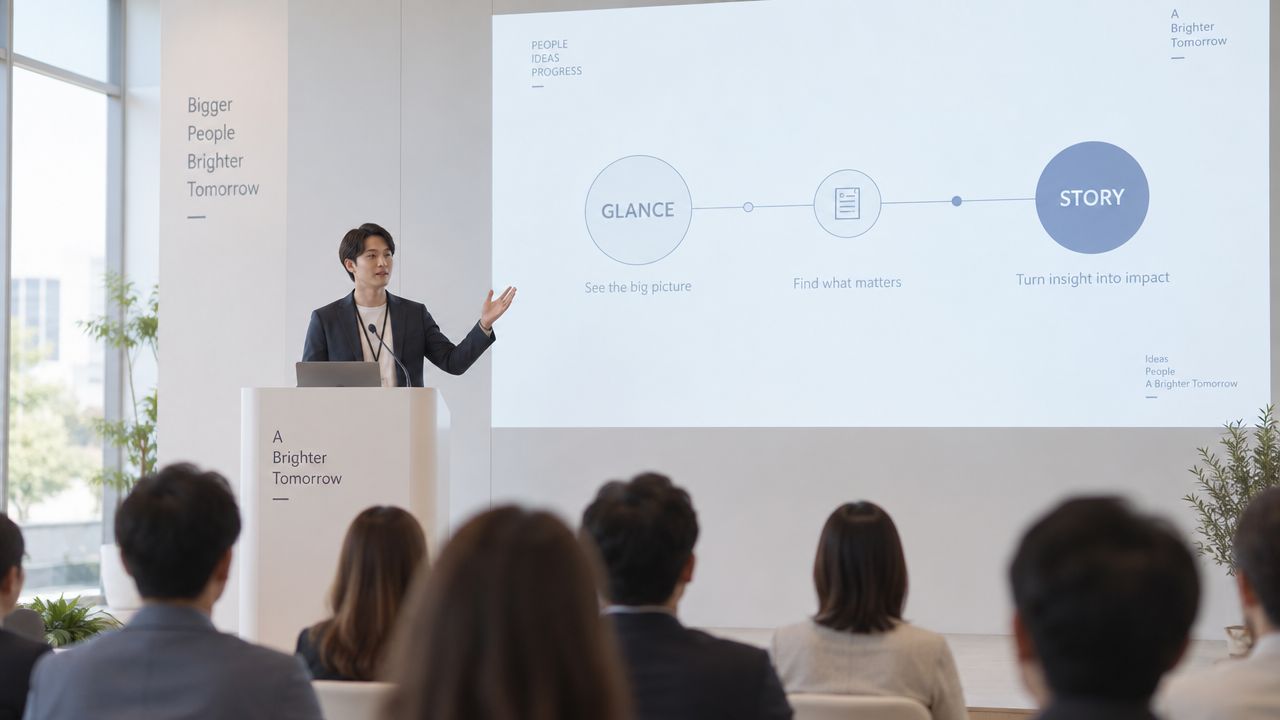
- Glance slides: A title, transition, or simple conclusion that the audience can absorb quickly.
- Anchor slides: A chart, pathway, study design, or evidence summary that requires deliberate explanation.
An 8-to-12-slide range is commonly cited for ten-minute talks, but the practical question is how attention is distributed across those pages. Mark slides that ask the audience to compare values, follow a sequence, or interpret a limitation. In a science-heavy deck, those anchor slides determine whether the presentation fits the slot, especially when MLR-approved claims and references must remain visible.
Rehearse with a visible timer and record the transitions between slides. If the final takeaway feels rushed, earlier slides probably consumed time through repeated framing, excessive setup, or commentary that duplicates what the visual already shows. Cut that repetition before shortening the explanation needed to interpret primary evidence.
Ask, “What must the audience understand before I advance?” If the answer contains several ideas, edit the slide, separate its functions, or assign it more speaking time.
Pacing also includes silence. Pause after a key result so the audience can inspect the visual before hearing the next interpretation. Scientific communication is controlled attention, with the densest material receiving the clearest delivery.
How can compliance be ensured without slowing down a presentation?
Medical, Legal, and Regulatory review changes the economics of slide creation. A presenter may want a fast, visually clean narrative, while reviewers need to verify wording, references, fair balance, image rights, and the relationship between each claim and its supporting evidence.
The solution isn't to remove necessary detail at the last minute. It's to make governance part of the content workflow. Start with approved source materials, preserve the wording that has already passed review where appropriate, and identify the evidence behind each scientific statement before design work begins.
Use controlled building blocks
A centralized content library can reduce repeated searches and inconsistent reuse. Instead of copying a figure from an old deck or relying on a personal folder, teams can work from governed assets with clear ownership and review status. That approach also helps reviewers assess whether a slide uses the current approved version.
Sentence-level traceability is particularly valuable for evidence-heavy pages. It lets a reviewer move from a claim to the publication, internal document, or source passage supporting it, rather than asking the author to reconstruct the research trail during review. Reference-checking workflow guidance provides a practical framework for connecting scientific language to its underlying evidence.
VarsaAI offers a centralized Hub for pre-approved materials, scientific presentation and MOA video generation, sentence-level referencing, and controls intended to support MLR-ready outputs. Those capabilities don't replace human review. They help teams assemble a traceable draft so reviewers can spend more time judging scientific and regulatory suitability, rather than locating missing sources.
The key trade-off is deliberate. A shorter deck isn't compliant merely because it contains fewer slides, and a detailed deck isn't rigorous merely because it contains more citations. Compliance improves when every visual and sentence has a clear purpose, an identifiable source, and an owner responsible for its final approval.
What is the final checklist for a 10-minute talk?
Before an MLR review or HCP engagement, audit the deck as if you were seeing it without the author's background knowledge. The question isn't whether the presenter understands the science. It's whether the audience can follow the intended interpretation from the slide, the spoken explanation, and the evidence together.
Use this final pass:
- Test the central message: Can you state the presentation's conclusion in one accurate sentence?
- Inspect every slide title: Does each title communicate the slide's takeaway rather than merely naming its topic?
- Check evidence visibility: Can the audience identify the population, comparison, endpoint, and relevant qualification without searching the page?
- Review visual density: Have you removed decorative elements, repeated diagrams, and secondary details that compete with the main result?
- Audit the mechanism: If an MOA video is included, does it clarify a process that would otherwise require excessive static explanation?
- Verify traceability: Can every scientific claim be connected to the appropriate approved source through a documented source-traceability process?
- Run the spoken test: Does the presenter explain the evidence naturally without reading the slide?
- Protect the ending: Does the final slide summarize supported conclusions without introducing an unreviewed claim?
A final rehearsal should include the actual video, click path, speaker notes, and any planned audience interaction. If the talk runs long, remove peripheral examples and repeated context first. Don't compress the primary evidence into unreadable text just to preserve an arbitrary slide total.
The best 10-minute scientific presentation may contain fewer than 10 slides, approximately 10 slides, or more modular visual pages. The correct choice is the one that gives each scientific claim enough space to be understood, supported, and defended.
VarsaAI helps life sciences teams create MOA videos and scientific presentations from source materials, with sentence-level references and workflows designed for MLR review. Visit VarsaAI to see how a governed content workflow can help you build a focused 10-minute deck without losing scientific traceability.
Frequently asked questions
- What is the typical slide count range for a 10-minute scientific presentation?
For many scientific presentations, a practical range is 7 to 10 slides. However, this is a guideline, not a strict rule, as evidence-heavy formats may require a different balance based on content complexity and explanation time.
- Why is the "one slide per minute" rule not always suitable for scientific presentations?
The 'one slide per minute' rule is a starting point, but scientific presentations, especially in Medical Affairs, often feature high evidence density. Some complex slides require more time for audience interpretation, making an even distribution of time across all slides impractical and potentially detrimental to understanding.
- What are the common pitfalls of forcing complex scientific material into equally paced slides?
Forcing complex scientific material into equally paced slides can lead to rushed interpretation by the audience, visual overload with excessive details, and clutter driven by compliance requirements, all of which hinder the audience's ability to grasp the main message.
- How can a presenter determine the right amount of time for each slide?
Presenters should classify slides as 'glance slides' (quick absorption) or 'anchor slides' (requiring deliberate explanation). Complex anchor slides, such as charts or study designs, need more dedicated time, while simpler transition slides can be covered more quickly.
- What role does MLR review play in determining slide count and content for scientific presentations?
MLR (Medical, Legal, and Regulatory) review adds constraints by requiring verification of wording, references, and fair balance. This means each slide needs clear purpose, identifiable sources, and approved content, which can influence how much information can be effectively conveyed per slide.
Add the trust layer to your LLM.
Every claim verified, every citation listed — inside your existing AI workflow.
Get pricing →